
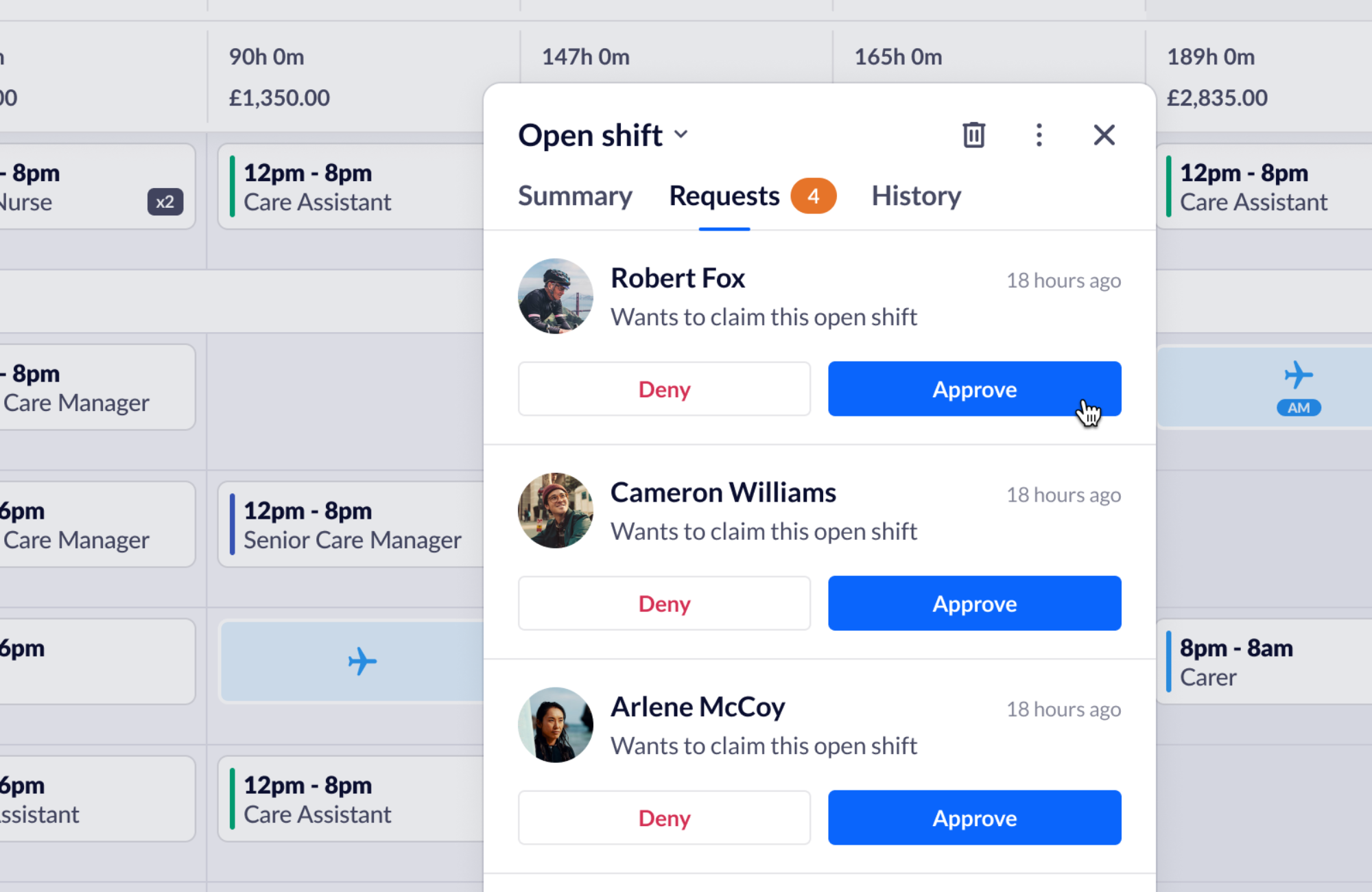
We’re excited to announce the beta launch of Open Shift Approval – an optional setting on both the RotaCloud web and mobile app that adds a request-and-approval step to staff claiming shifts.
What is Open Shift Approval?
Open shifts are unassigned shifts that employees can claim for extra hours.
Instead of an open shift going to the first employee to claim it, we’ve added the option for multiple staff members to request it so managers can choose the best fit.
With Open Shift Approval…
- Staff can’t claim too many shifts too quickly, giving everyone a fair chance.
- Staff can’t end up working more hours than they should (often causing legal implications).
- Managers have additional control and visibility over the hours staff claim.
- Managers can have a mix of open shifts that need approval and those that don’t, depending on the type of shift.
How does it work?
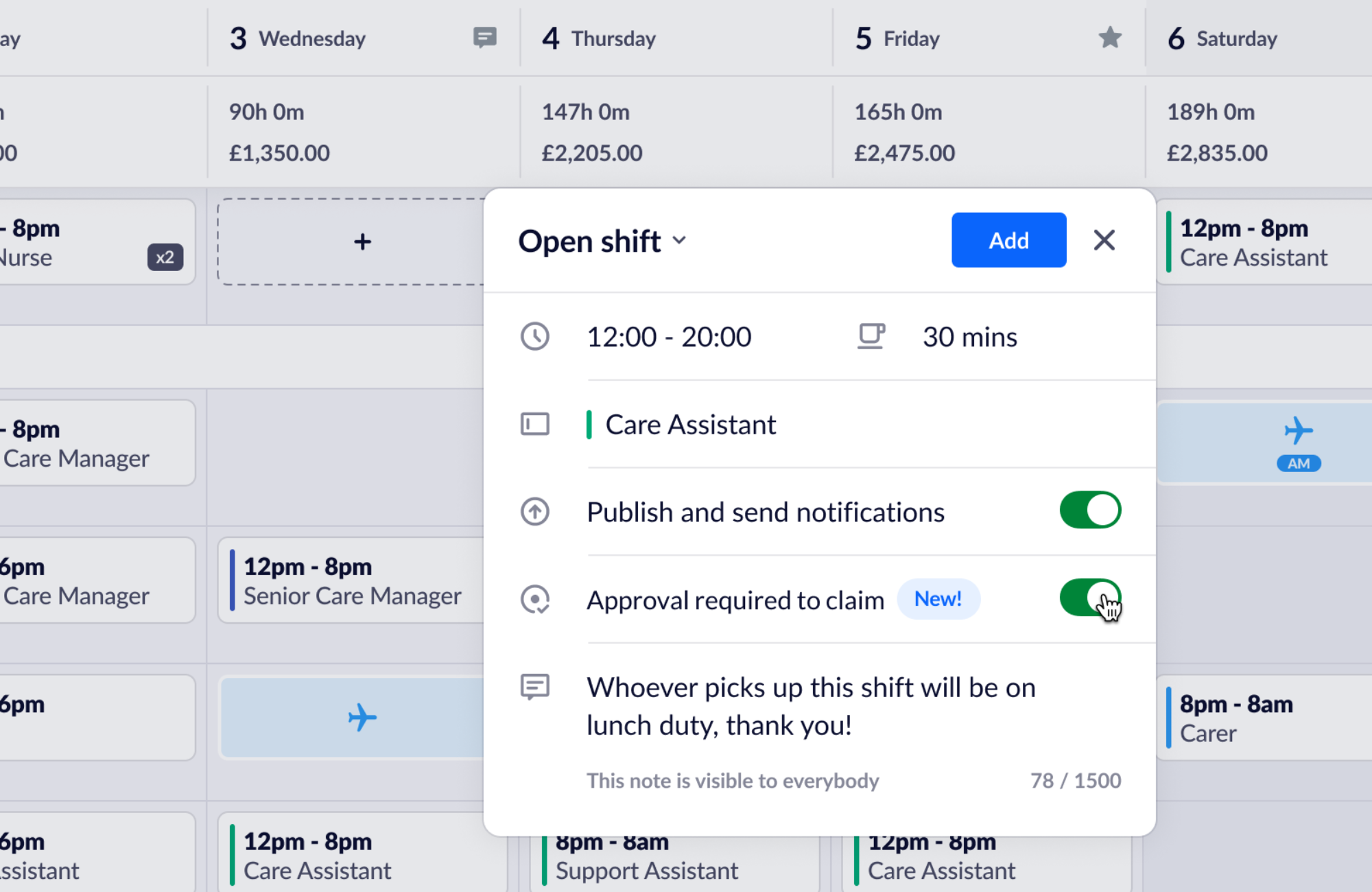
- When creating an open shift, managers can toggle ‘Approval required to claim’.
- Any open shifts with ‘Approval required’ will display a ‘Request to claim’ button for staff selecting them.
- Clicking ‘Approve’ on one employee’s request will automatically assign that shift to them, notify them, and remove the available open shift and its remaining claims.
There are also three new optional open shift settings.
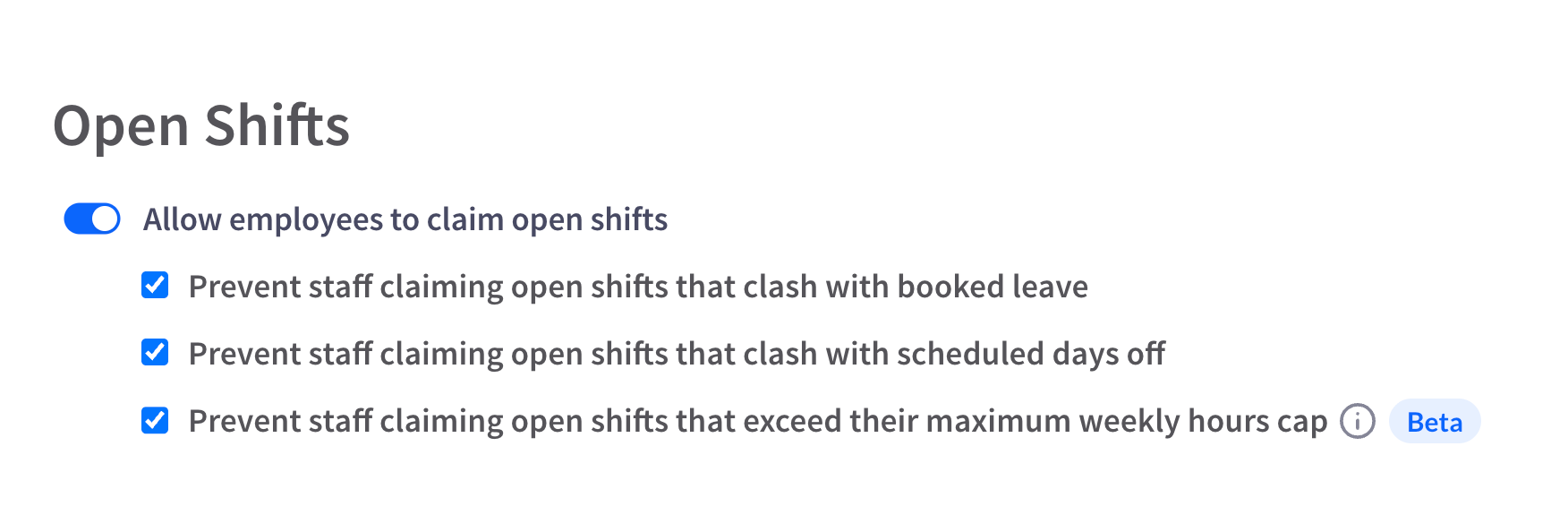
If selected, staff will be automatically prevented from claiming an open shift if it would:
- clash with booked leave
- clash with a scheduled day off or rest day
- take them over their maximum weekly hours
This ensures that only staff eligible for the open shift can claim or request to claim – meaning no checks are needed from the manager’s side, just approval (if you have approval enabled).
Overall
After listening to customer feedback, we’re excited to release this optional approval step to open shifts – and for what’s to come.
For managers, it means being able to fill gaps in the rota and respond to demand without being overloaded with admin.
For staff, it means a fairer chance at getting the shifts they want and not being at risk of overworking.
We’re constantly listening to feedback and improving the RotaCloud product. We’ll continue to work on this new approval option for open shifts (and other features) to bring you new and better ways to make work simple.
Rollout is already underway
As Open Shift Approval is in its beta, it’ll be rolling out to all RotaCloud users while we continue to work on it. Though it will soon be available to everyone, you’ll see a pop-up on your Rotas screen when it’s ready to try.
Look at our help guide to see how our new approval step helps.
Not a RotaCloud user yet? Check out our full range of features, or click here to try RotaCloud for free.