Employee timesheet app

Eliminate errors with automated timesheets

Say goodbye to paper timesheets. With RotaCloud, your staff’s timesheets are generated automatically every time they clock in, clock out, or take a break.
Try it free for 30 days
  • No card required
  • UK-based support
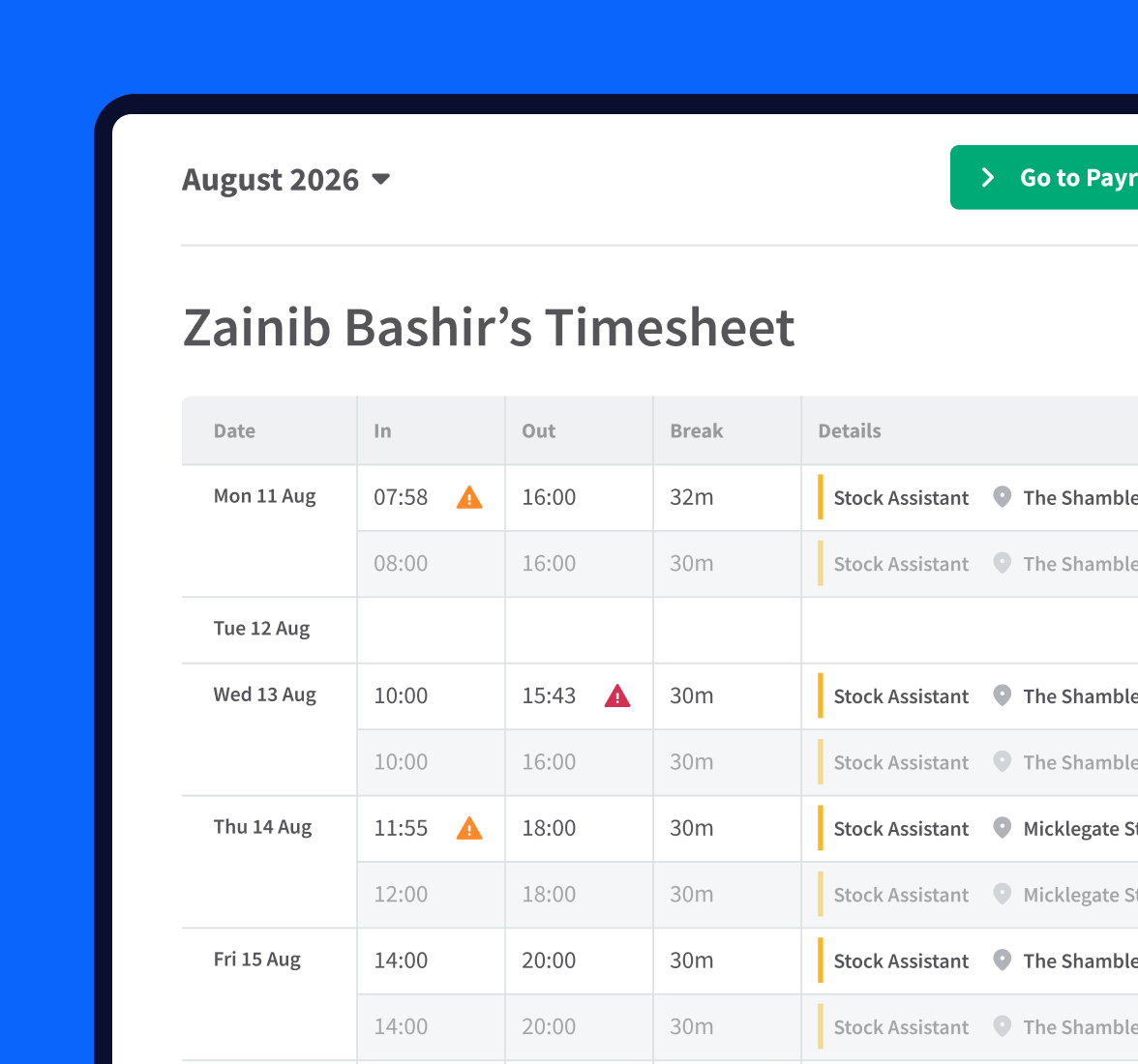
Staff timesheet showing details of clocking in and out times and break lengths. Clocking in records are flagged where an employee has clocked in early or late.

Intelligent, automatic timesheets for businesses big and small.
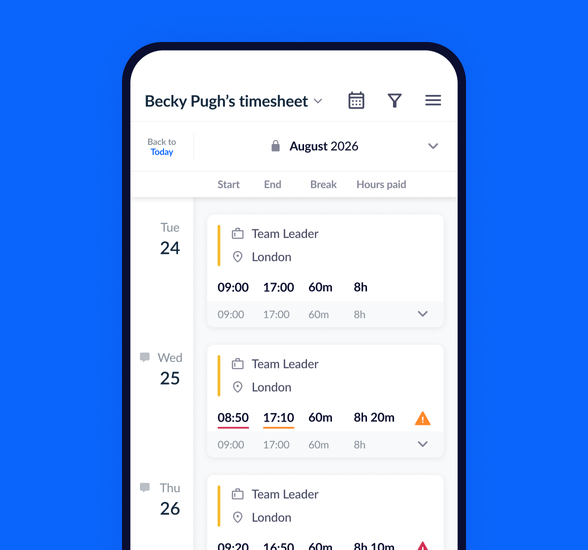
Mobile view of an employee timesheet showing some shifts with the corresponding job role, location and clock in times, the second shift shows an orange warning symbol as the employee worked longer than their planned hours.

Automatic timesheets

Ditch the data entry

Your staff clock in and out using the RotaCloud app, with data fed directly to their individual online timesheets.

There’s zero data entry required — saving you hours of admin and removing any possibility of human error.

Lateness & absence

Keeping you in the know

RotaCloud’s timesheets are packed with actionable information — not just raw clocking in data.

Lateness, absence & overtime flags
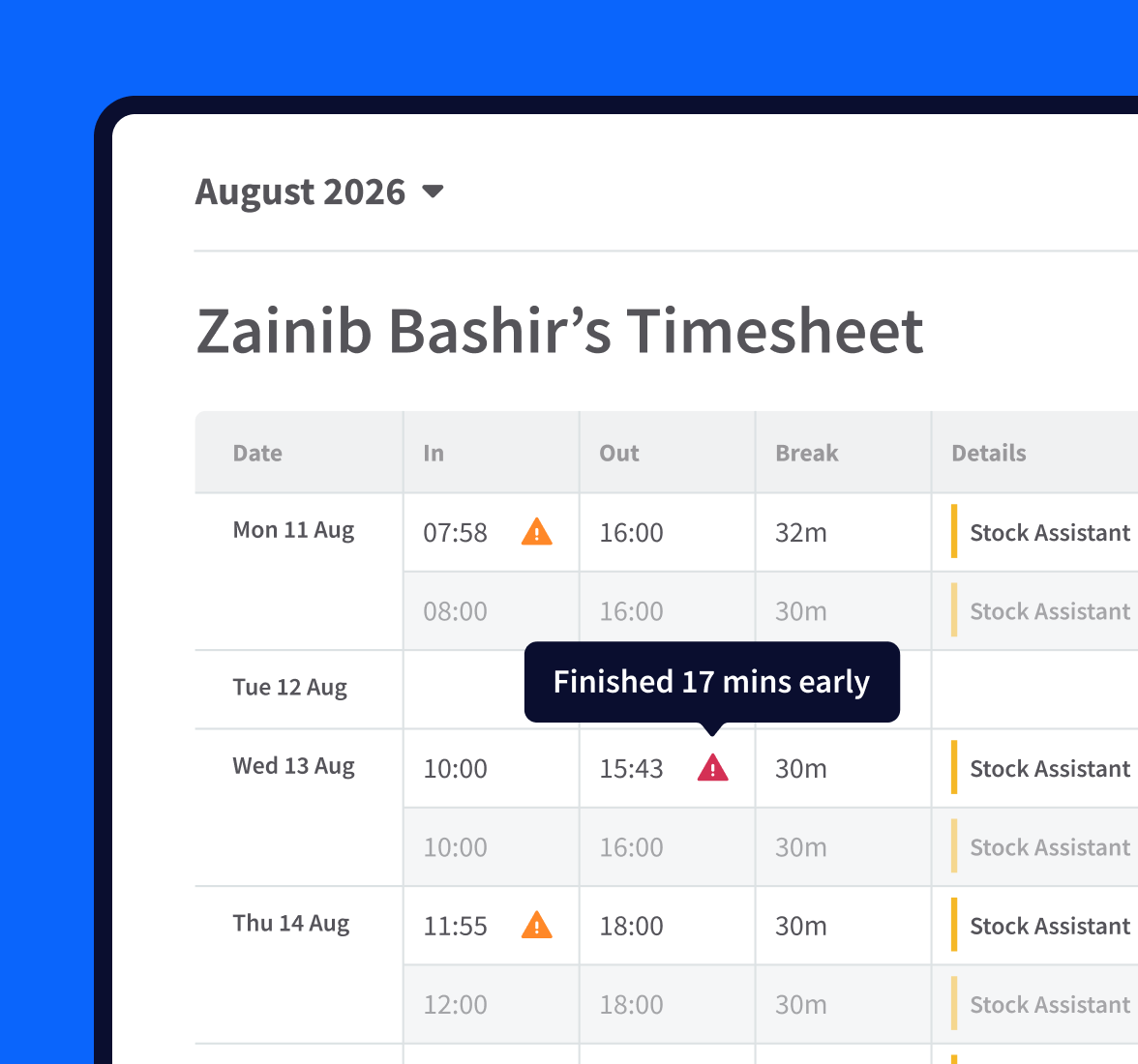
Discrepancies between scheduled and worked hours are automatically highlighted on employees’ timesheets, so it’s easy to review and adjust time data before sending it over for payroll.
Manual adjustments
Need to update a record or add a new one? No problem. RotaCloud keeps a log of any manual adjustments, and who made them, providing extra peace of mind.
View & add notes
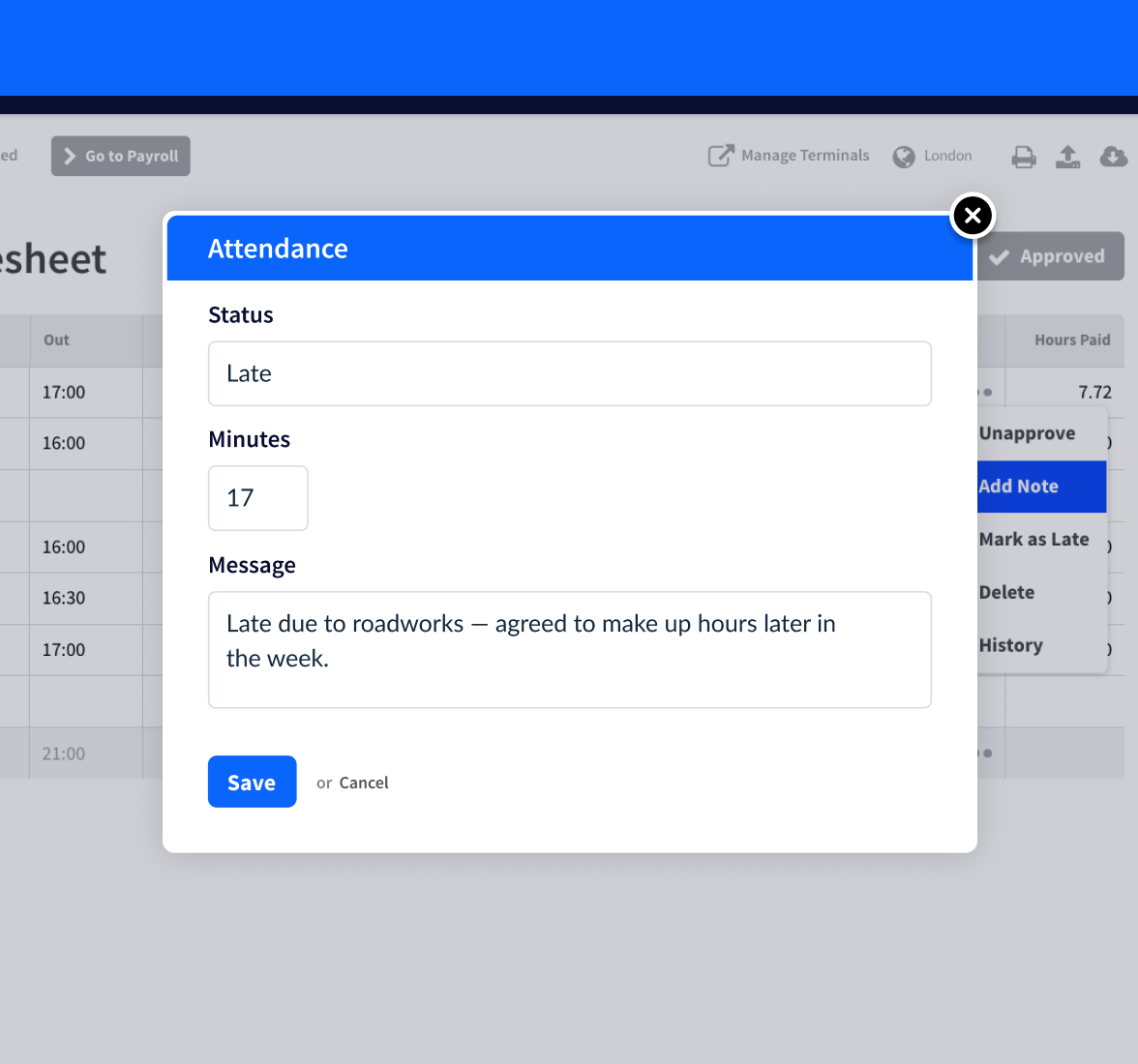
If an employee’s late, you can add a note to their timesheet with the reason for their lateness, so you’ve got a record of it for later.
Line managers approve the timesheets at the end of each week, rectifying any overtime. It’s a decent amount of money being saved.
Agnes Szabo
Practice Manager at Abington Park Veterinary Group
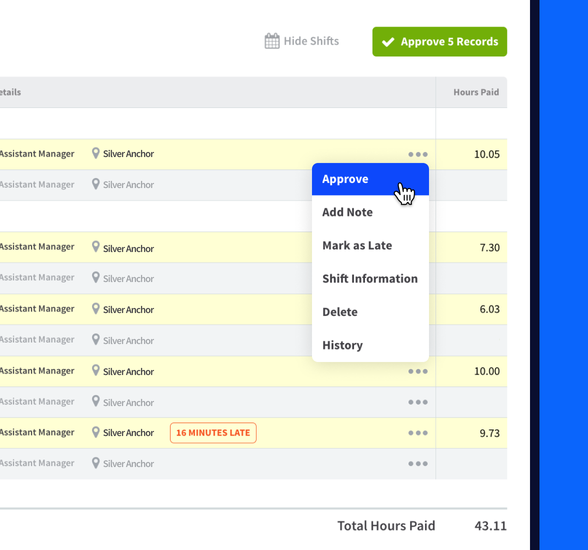
An employee timesheet in RotaCloud with green 'Approve 5 records' button.

Approving timesheets

One-click approval

Approve clock-in records either individually or for an entire timesheet all at once.

When you’re happy with your team’s timesheets, simply lock them for that pay period, all ready for payroll.
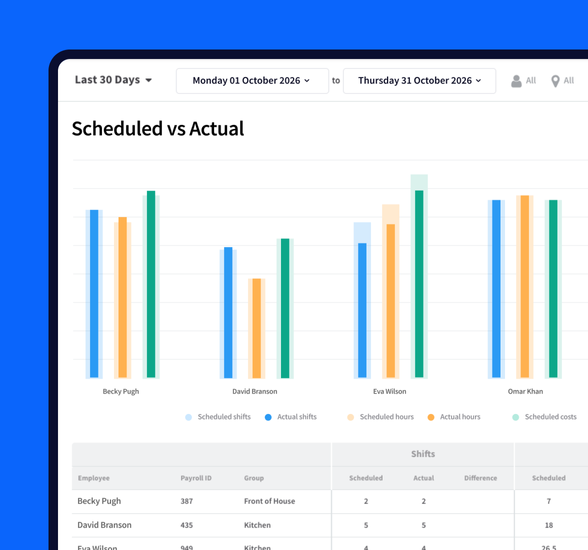
Section of a 'Scheduled vs Actual' report in RotaCloud, showing scheduled shifts, hours and costs compared to actual.

Reports

Gain new insights into staff attendance

Analyse attendance data with our powerful, pre-built reports to see what’s working and what needs your attention.

  • Attendance patterns

    Find any troubling patterns in employee absence and lateness, with the numbers broken down by each day of the week.
  • Lateness

    See the proportion of shifts your staff have been late for, average lateness for your team, and the total number of minutes lost to lateness across your business.
  • Scheduled vs actual

    Compare the hours your employees were scheduled to work against the hours they’ve actually worked.
  • Bradford Factor

    Use this metric to score employees based on the impact that their unplanned absence may have on your business.
Employee timesheet history popup showing scheduled shift times, notes added by manager, and clock-in record.

Data for compliance

Ensure compliance with accurate records

RotaCloud logs everything from the times your employees clock in, to which manager edited their timesheets and when.

Use this data to back up managerial decisions and stay compliant with relevant employment regulations.